
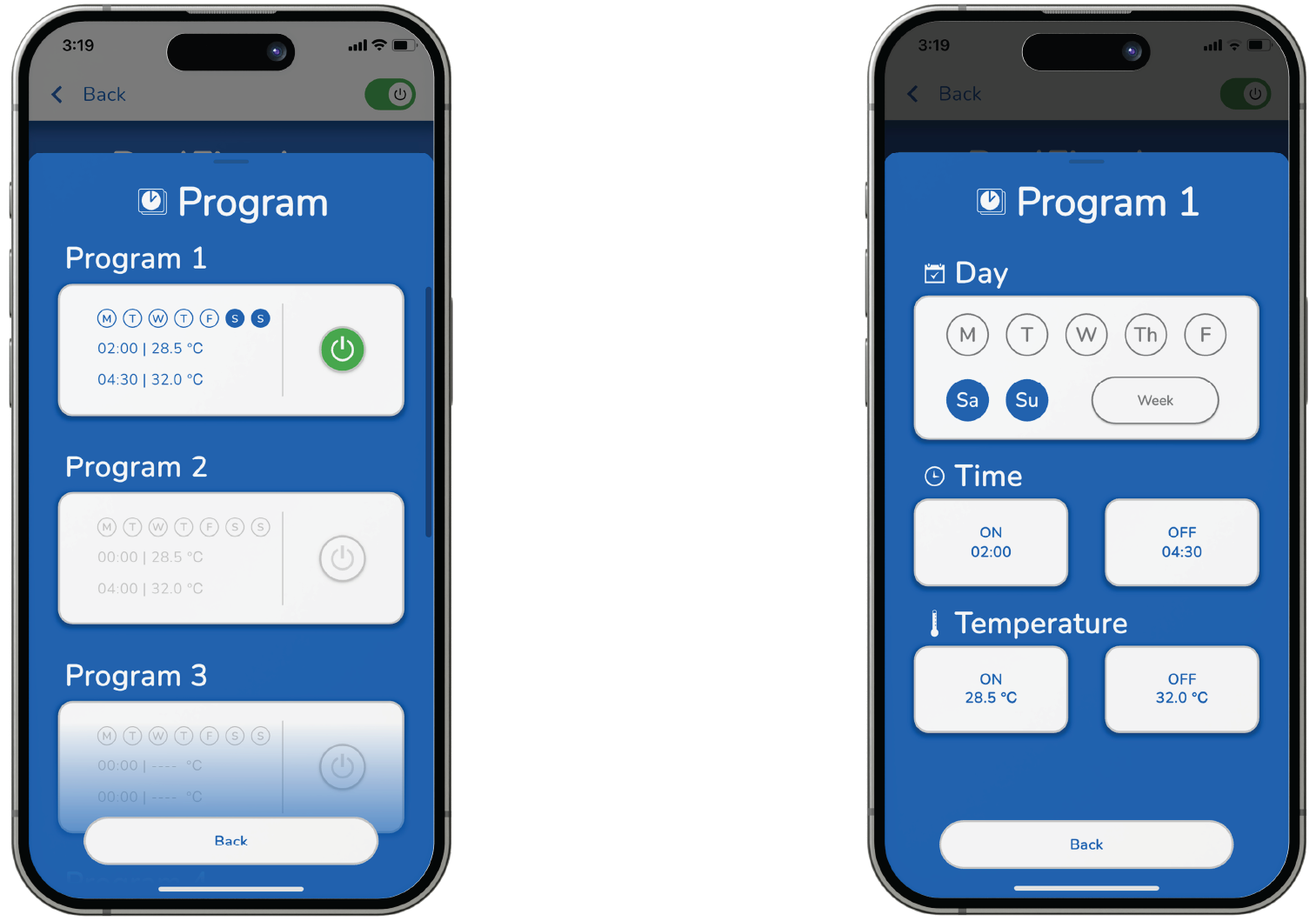
Save up to 8 programs to turn the fire ON and OFF at specific times and days.
1. tap the “Program” icon.
2. tap the “ON/OFF” button to select the desired program (1 – 8).
3. tap the desired Day button to select (M,T,W,T,F,S,S).
4. tap the Time “ON” and Time “OFF’ buttons to scroll to desired times.
5. tap “Set” button to set desired times.
6. tap Temperature “ON” and/or Temperature “OFF” button to scroll to desired temperatures.
7. tap “Set” button to set desired temperatures.
An activated Program Mode shows a blue icon and “ON” displayed.